 Many small business clients ask for advice about document management solutions. The only requirements are that it‘s cloud-based, cheap, secure and user-friendly. It sounds like such a simple request, but they often come up empty-handed.
My first recommendation for a comprehensive cloud-based, document management solution is usually Box.net. However, the cost per user for the full features is about $40/mo per user which is often well outside the price range of the majority of my own small business clients. Luckily Google Docs is a very capable alternative that many small to mid-sized businesses still have yet to discover. The following quick overview is based on the top questions my clients ask me about Google’s document management capabilities and limitations. Feel free to ask a followup question or two!
[Note: The information here is accurate as of 1/9/2013]
Storage Space
- Google Docs comes with 5 GB of free storage. Documents that are created in or converted to Google Docs format do not count towards storage space.
- 25 GB of additional space is available for $2.49/mo. The email account associated with the upgrade will also receive an additional 25GB of storage space. 100 GB of additional space is available for $4.99/mo. Gmail storage space is upgraded to 25GB.
Document Management
- Entire folders and even sub folders of documents can be uploaded at one time using a Google Chrome browser. Google will automatically create the folder and sub folder names and upload all the documents into the appropriate folder.
- I would recommended that only 2GB of documents be uploaded at one time.
- Sub Folders can be created at least to 5 sub levels. I didn’t try creating any deeper than that.
- MS Word 97 – 2003 documents can be previewed in Google Docs, but cannot be edited online unless they are converted to Google Doc format
- MS Word 2007/2010 docs cannot be previewed in Google docs until they are converted to Google doc format.
- MS Excel 97-2010 spreadsheets can be previewed in Google Docs, but cannot be edited online unless they are converted to Google Doc format
- Once a document is converted to Google Doc format it can be downloaded as an MS Word Document, PDF, HTML or other format.
Document Collaboration (http://support.google.com/drive/bin/answer.py?hl=en&answer=2494891&topic=2816927&ctx=topic)
- In order to collaborate on Google Documents users will need to have a Google Apps account. Accounts are free, but this extra step is often seen as a barrier for adoption of Google Docs for document collaboration.
- Once a file is converted to Google Docs format advanced types of collaboration can be utilized.
- Collaborators can make comments on a document that appear when a comment button is selected at the top right side of the browser window.
- Text or spreadsheet cells can be highlighted and commented on by a collaborator. Comments are saved as historical information and will not be appear on the document when it is printed or downloaded.
- Real time text chatting can occur if multiple people are accessing the document at the same time.
- Multi-colored cursors will appear when multiple people are editing the document at the same time. Very Cool.
Document Sharing (http://support.google.com/drive/bin/answer.py?hl=en&answer=2494886&p=visibility_options)
- There are three levels of access for folders and/or documents uploaded to or created in Google Docs
- Public on the web
- Anyone with the link (no sign in required)
- Private (only Google users with explicit permission of the document owner)
- Documents can be make private by the ‘owner’ of the document. Whoever created the original document or uploaded it is considered the ‘owner’ but ownership can be transferred.
Document Security (http://support.google.com/drive/bin/answer.py?hl=en&answer=141702&ctx=cb&src=cb&cbid=15yeyng286n1&cbrank=0)
- Document Security is considered very good by sources outside Google. A popular legal blogger, Craig Ball, Trail Lawyer and certified computer forensics examiner wrote an article on this exact subject here: http://ballinyourcourt.wordpress.com/2011/12/31/is-google-docs-secure-enough-to-store-client-files/
If you are looking for a low cost, quick and collaborative document management system. Google Docs should be on your radar. What questions do you have about Google Docs?


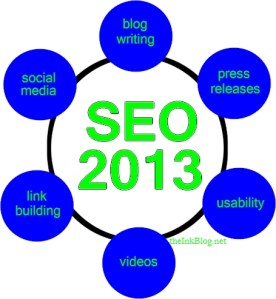 Trends for search engine optimization are not as unknowable as looking into a crystal ball. It is also not as complicated as many professional SEO firms would have you believe either! In fact, as Google, Bing and Yahoo get more focused on bringing searchers the most relevant results, the more simple the job of a Search Engine Optimizer becomes. However, simple in this case does not mean easy. In 2013, I believe the focus will be on quality, unduplicated, content that is reinforced by the relevancy gained through social sharing and meaningful backlinks.
 It is not often that we get the chance to support a cause and see amazingly successful results in the span of a few short weeks. But, that is exactly what happened when I encountered the talented and lively
  This intriguing question was recently asked by one of my professional services colleagues, Barry Feldman. Barry authors a popular marketing blog called “
 One of the single most important and easiest ways to encourage traffic is to include your website address in your ‘about’ description so that it shows up as a link on your Facebook front page.


 Best practices for Facebook management are becoming well known and well documented industry standards. Here is my list of best practices for small business Facebook pages: