Entrepreneurs in Action | Driven to Succeed

entrepreneurs in action2012 was an excellent year for my entrepreneurial pursuit of an online technology consulting business, LoebigInk.com. My personal goal was to increase revenue this year by 25%, but after the close of business on December 31st the books showed a 55% increase in sales. Hard work and networking in action!

Moving from Richmond, VA to Bethesda, MD in June of 2012 was also a significant event for Loebig Ink Consulting since it meant developing new relationships and marketing approaches in a much larger and more diverse economic and geographic area. I have been continually humbled by the new clients that have stumbled upon my services through word of mouth, social media and even Craigslist. I would never have guessed that a simple, but well designed, free ad on Craiglist would have generated more leads and actual new clients than any other paid marketing strategy I have utilized thus far!

In honor of the many new business relationships I have formed over the last two years I decided to dedicate the next several blog posts to honoring and spotlighting the many excellent leaders and new entrepreneurs that I have encountered. Among the many diverse and talented people there will be a technology programming guru, a Canadian copywriter, a serial entrepreneur, a music studio proprietor, a former U.S. Air Force Inspector General, a multi-state quality award CEO and more!

I know that the leadership, focus and personal drive that these professionals have shared with me has ‘rubbed off’ on my own business and I look forward to sharing their entrepreneurial spirit and drive to succeed with you!

Entrepreneurial Leader Profiles:

Posted in Entrepreneurs in Action | Tagged , , , , , , , , , , , , , , , | 3 Comments

SEO Trends for 2013

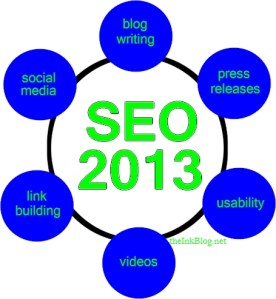
seo trends in 2013Trends for search engine optimization are not as unknowable as looking into a crystal ball. It is also not as complicated as many professional SEO firms would have you believe either! In fact, as Google, Bing and Yahoo get more focused on bringing searchers the most relevant results, the more simple the job of a Search Engine Optimizer becomes. However, simple in this case does not mean easy. In 2013, I believe the focus will be on quality, unduplicated, content that is reinforced by the relevancy gained through social sharing and meaningful backlinks.

There will be a tighter integration of websites, social media, press releases, SEO and mobile applications. In fact, I think the idea of optimizing for search engines will become congruent with optimizing for actual humans. If the content you are creating and distributing is highly useful and relevant for humans it will likely be favored by the search engines.

Trends

  • Reliance on original content will continue to expand
  • Internet advertising and SEO will be more closely coordinated
  • Online press releases will become more important
  • Wide spread local directory listings will decrease in importance and relevancy
  • Linkedin company pages will increase in relevance and use
  • Craigslist will grow in popularity for small business and entrepreneurs looking to buy and sell products and services
  • Social media advertising will become as important as search engine advertising
  • Video content will continue to expand and will become key to business SEO rankings

Recommendations

  • Create a business blog and publish customer-centric articles regularly
  • Use internet ads in coordination with SEO results for maximum learning and benefits
  • Use online press releases to distribute key content widely. PRweb.com, PR.com and PitchEngine.com are worthy resources
  • Select the top five to ten local directories where people are finding, or likely to find, your type of business and fully develop and maintain those listings.
  • Develop, expand and regularly update your business company page on Linkedin
  • Use Craigslist to promote your services or products and use HTML to create a more professional listing
  • Experiment with social media advertising to find which platform results in the best outcomes for your business
  • Create regular video content that conforms to the same useful purpose as your blog articles

Review other articles on SEO topics…

Posted in SEO | Tagged , , , , , , , , | 9 Comments

Kickstarting your Facebook Ads | A Holiday Success Story with Flutronix

flutronix-facebook-kickstarterIt is not often that we get the chance to support a cause and see amazingly successful results in the span of a few short weeks. But, that is exactly what happened when I encountered the talented and lively Flutronix music duo from New York. Flutronix is described as an “impressive timbral coordination of acoustic flute with the inherent polish of synthetic sounds.” Doyle Armbrust -Time Out Chicago.

I discovered the duo through a Facebook link from my Atlanta singer/songwriter friend, Doria Roberts, who had performed with Flutronix at the Living Room in NYC in October of this year. I have a personal passion for live acoustic music having founded a live music coffee house in Philadelphia in the late 90s. When I first saw their lovely faces and then heard their creative mixture of flute and synthesizer I was hooked. I decided to download one of their digital CDs and discovered they were running a fundraising “Kickstarter.com” campaign to fund the production of their second album. Instead of just purchasing the CD I resolved to fund their project for $25 knowing that I would get their new CD in return should their project be successful. Helping live music thrive and receiving a digital download in return made supporting their cause an easy decision.

As I began occasionally seeing the group’s Kickstarter updates in my Facebook newsfeed it became evident that they were passionate about their project and determined to see it succeed. Their Kickstarter campaign officially began on Nov. 8th and had a deadline of December 8th. I funded the project with my meager $25, on November 21st about two weeks before the campaign deadline. On Dec. 4th, with five days left, they shared a post with their followers stating that they had just reached the halfway point in funding. Feeling a bit more than nervous for their success, and being a professional internet advertiser, I reached out to them on their Facebook page and asked if they had used the ‘promote a post’ ad feature that is available to anyone on Facebook. They indicated that they had tried it once and may try it again. I followed up with a question about the use of a targeted ad campaign in a private message.

They had not ever used Facebook’s more advanced ad campaign options so I offered to set it up and fund it myself knowing that it would be a much better use of limited funds since they still had $10,000 to raise! I sent them information from Facebook on the various admin roles that can be assigned to page managers and also sent directions on how to assign me as an ‘advertiser’ on their page. Since they didn’t “know me from Adam” it was definitely a leap of faith for them to allow me access to their professional Facebook page in the midst of the final countdown to their impending Kickstarter finale! As grace would have it, they readily gave me access and trusted that I wouldn’t bring their Facebook page crashing to a halt.

Since time was of the essence and with only 3 days to the deadline, I opted to create just two Facebook ads. The first ad was targeted to a large potential audience of people with flute-related keywords on their Facebook pages. The total potential reach of this first group was about 176,000 people in the U.S. In the 48 hours that this ad was scheduled to run 55,000 people were shown the ad and 158 people clicked through to the Flutronix Kickstarter campaign page.

The second ad was targeted at friends who were already connected to the Flutronix Facebook page, i.e. ‘friends of friends.’ This type of ad was chosen since the ad would show all who saw it that one or more of their own friends had already liked the Flutronix page. This strategy is a great way to leverage the power of social influence in advertising.

In the final 72 hours of the Kickstarter campaign the Flutronix duo closed the gap and successfully raised the $20,000.00 needed to fund their sophomore album! The total two-day Facebook ad budget spent was just $110.00. This Kickstarter and Facebook Ad Campaign story is truly a holiday success story!

Stay tuned for the next article where I will share the detailed ad design and results information.

Posted in Marketing, Social Media | Tagged , , , , , , , | 2 Comments

Can a Business Facebook Page Help a Professional Services Business?

Facebook for Professional ServicesThis intriguing question was recently asked by one of my professional services colleagues, Barry Feldman. Barry authors a popular marketing blog called “The Point” and also guest writes for Social Media Today. The question is intriguing to me since it is asking a question about social media from a niche market to which I happen to belong!

My first thought is that Facebook is obviously helpful to business since I have used it to generate leads, engagement and even direct sales for many of my own clients. However, the clients that initially came to mind were not professional service businesses, but rather product-based businesses; Mooers Volvo, and Criminal Thinking Therapy for example. But, when thinking about my own Facebook page I had to take a step back and make a self-assessment.

Although my own professional services Facebook page hasn’t led to any direct sales that I can attribute exclusively to this platform, I do believe is has helped my business in several important ways. What follows are recommendations and observations from my own experience with a ‘professional services’ Facebook page.

  • Use your business Facebook page to promote existing client and colleague blogs, Facebook pages, services and events.
    • This approach has helped me maintain and strengthen connections which ultimately leads to more business.
  • Use the promote post feature to leverage posts into ads that drive traffic to your website and tech blog.
    • I have used this feature on several occasions and have seen a dramatic increase in website and blog visits. As a result this has become a standard practice for my own Facebook page.
  • Post blog articles which then auto feed to your Twitter account where they reach an even larger audience.
    • Twobs (Twitter Snobs) will advise against this approach since they believe Twitter should be used independently of Facebook.  In my experience, as long as I also interact with Twitter followers on that platform as well, cross posting from Facebook has actually helped to create more engagement on Twitter.

Since my clients are more active on Facebook than they are on Twitter, or even Linkedin, it is a way for me to keep my business top of mind for them. Facebook is the single largest social site in the world. For businesses that rely on positive word of mouth to generate sales, having a business Facebook page that is professionally developed and well maintained is almost as important as having a website. Social media is words of mouth digitized!

I receive a fair amount of traffic to my tech blog, theinkblog.net and website, LoebigInk.com that originates from my business Facebook page. A quick check of your website and blog analytics will let you know if your Facebook page is generating any traffic. If it’s not generating traffic, you may need to do a better job of optimizing it for better leads.

website url on facebookOne of the single most important and easiest ways to encourage traffic is to include your website address in your ‘about’ description so that it shows up as a link on your Facebook front page.


Side note: if your page is setup as a ‘local business’ the about description won’t appear on the front page. Switch to a company page in order for your URL to display.

What do you think? Is Facebook helping generate business, leads or traffic for your business?

Here are a few other related articles you may find useful…

Posted in Social Media | Tagged , , , , , , , | Leave a comment

Business Facebook Page Fact Sheet

Facebook FactsFiguring out how to design a business Facebook page is a common task for many start-up businesses. And, one of the most confusing elements of the initial setup is deciding what type of business page should be created.

Here are some basic facts about Facebook image sizes and an overview of the various page options that should be considered when setting up a small business Facebook page.

Begin your Facebook Business Page Setup Here…

Timeline Image Dimensions:

  • Facebook Timeline Header Image Dimensions: 850w x 315h
  • Facebook Thumbnail Image Dimension: 180w x 180h. Note that the actual size that shows on the page is 160 x 160 so leave 20 pixels of blank space around a 160 x 160 image so that the entire thumbnail appears on the page correctly! (Thanks to Peregrine Associates for this little nugget of wisdom)
    • The thumbnail gets shrunk to 32w x 32h on wall posts
  • Facbeook Page Tab Image Dimensions: 111w x 74h

Facebook  Image Guidelines:

  • Cover images must be at least 399 pixels wide and may not contain:
    • Price or purchase information, such as “40% off” or “Download it at our website”
    • Contact information, such as web address, email, mailing address or other information intended for your Page’s About section
    • References to user interface elements, such as Like or Share, or any other Facebook site features
    • Calls to action, such as “Get it now” or “Tell your friends”

Types of Facebook Pages
Browse some of our other Facebook Articles as well!

Posted in Social Media | Tagged , , , , , , , , | 1 Comment

Ten Tools I Use for Social Media Marketing

Ten Social Media Tools

Social Media Managers have a multitude of internet tools at their fingertips to help them design, create and manage their social media accounts. I use these ten tools regularly with many of the social media client properties that I manage. What tools do YOU use?

1. HootSuite
https://hootsuite.com/

A great free tool for managing social media posts across multiple properties. I pre-post a week of status updates quickly and efficiently.

2. CaptureWizPro
http://pixelmetrics.com/

Low cost, high quality, screen capture tool on steroids. I use CaptureWiz to grab snippets of images, videos and even scrolling drop down menu items that I can design into a graphic for a social media post.

3. Linkedin Groups
http://www.linkedin.com/groups?gid=4652985

Linkedin status updates and groups are a perfect place to engage with others and share important updates with your professional connections. I post status updates that can then be leveraged into a post in a relevant Linkedin group.

4. Wildfire Apps Social Media Monitor
http://monitor.wildfireapp.com

The best free tool for benchmarking Twitter and Facebook pages against competitors.

5. Microsoft Royalty Free Images
http://office.microsoft.com/en-us/images/

Loads of royalty-free images, photos, animations, sounds and icons that can be used to customize social status updates.

6. My Tab App
https://www.facebook.com/revealtab/app_14167664298

Free and functional Facebook App that allows you to create a custom ‘reveal tab’ on a facebook page. Read a step by step article about how to use My Tab.

7. Toodledo
https://www.toodledo.com

Free web-based To-Do list for organizing and prioritizing social media tasks and projects.

8. Google Docs
http://docs.google.com

Easy document sharing in the cloud. I use Google Docs to share monthly social media metrics with some clients. View a sample social media measurement report.

9. ZoomSphere
http://www.zoomsphere.com/charts/facebook/us/pages

One of the best places to search for industry leading Facebook pages.

10. Fake Follower Check
http://fakers.statuspeople.com/Fakers/

A free and quick Twitter follower checking tool to determine the quality of Twitter followers

What tools would you add to this list? Were any of these new ideas to you? Browse my other social media articles here…

Posted in Social Media | Tagged , , , , , , , , | 6 Comments

Best Practices for Business Facebook Page Management

fb-best-practiceBest practices for Facebook management are becoming well known and well documented industry standards. Here is my list of best practices for small business Facebook pages:
  1. Invite your personal Facebook friends and contacts to ‘like’ your page and ask your business associates to promote your page as well.
  2. Promote your page on your website, in your newsletters and other marketing material.
  3. Use images in Facebook posts. Interaction increases significantly with the use of graphics.
  4. Run contests on Facebook to engage fans.
  5. Ask questions in Facebook posts to increase engagement.
    1. Fill in the blank posts are popular: “Monday for me are ______”
    2. Ask for opinions: “What is your favorite XYZ?”
    3. Use humor!: Funny pics, videos or anecdotes related to your business or industry are often engaging.
  6. Minimize product and sales posts. Only make 5-10% of your posts (max) about your products and services. Followers don’t want to be bombarded with ads. A main purpose of social media is to foster relationships and connections to potential and active customers.
  7. Provide useful/actionable information in your posts.
  8. Create ‘check-in’ deals that Facebook users can redeem using their smart phone.
  9. Use the ‘promote a post’ feature to keep the most relevant page posts at the top of your Facebook page.
  10. Offer coupons that are exclusive offers to people who ‘like’ your page.
  11. Target local offers to followers who would benefit from the info:
    1. Facebook has a ‘target by location’ feature allowing you to show selected posts only to people in a specific region of the world, country, state or even city!
  12. Use Facebook ads to grow your target market of followers.
  13. Post content regularly.
    1. Facebook recommends that business post a couple times a week, but some successful businesses post multiple times a day.
    2. Start off slow and measure the number of post likes and level of engagement over time to determine an optimal number of posts for YOUR target market.
    3. There are free tools like Hootsuitethat will allow you to prepost content very easily.  However, Facebook also allows you to prepost content as well.
      1. Learn more about “Auto Scheduling Social Media Posts”
  14. Respond to all feedback and written posts from followers quickly.
  15. Pay attention to Facebook site statistics to see which posts garner the most ‘likes’ and engagement and to see what time of day is best to post content.
  16. Embrace your fans!
    1. Encourage them to post photos and info on your wall and then repost, highlight or mention them on your wall.
    2. Popular dealership Facebook pages like Mooers Volvo in Richmond, regularly feature fan photos of their personal vehicles in the Facebook header image.  Fans love it! They tell all their friends and engage with the dealership more consistently as a result.
  17. Embrace your business partners! Promote their websites and social media pages on your own page and they will likely do the same.

By contrast, worst Facebook practices would be:

  1. Create a Facebook page and then don’t use it.
  2. Don’t invite anyone to like the page.
  3. Don’t promote or link to it from your website or other places.
  4. Use Facebook solely as a place to sell products and post ads.
  5. Don’t use graphics or just use poor quality ones.
  6. Don’t create a header image.
  7. Don’t link back to your website.
  8. Don’t fill in the business details such as address, hours of operation, mission, etc.

Read my Best Practices for Facebook Page Design as well!

Posted in Social Media | Tagged , , , , , , , , | 4 Comments

The SEO 80/20 Rule

seo 80-20 ruleThis article was updated on May 7, 2018.

Search engine optimization (SEO) continues to be an essential ingredient to online success for small and large businesses alike. A multitude of consultants and web service firms have developed services to meet this need among the general business public. I have seen extensive proposals that offer SEO related services that cover everything from soup to nuts! Some SEO firms specialize in very niche markets such as PlumberSEO.net and some offer services to all contenders. From a small business or sole proprietor perspective, the extent of the recommendations and associated costs may look truly nuts!

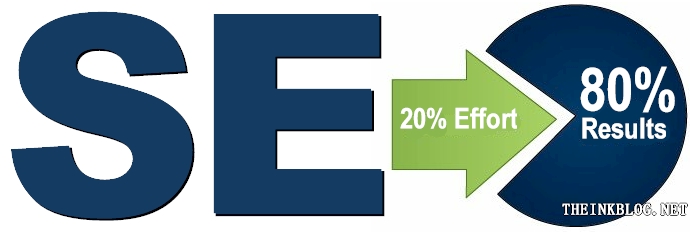
Similar to many priorities in life and business, your SEO efforts can benefit if you follow the 80/20 rule. The SEO 80/20 rule says that 80% of the results come from 20% of the efforts. Here is a list of common optimization tasks with the most critical 20% at the top of the list.

Small Business SEO Best Practice

  1. Develop regular, quality, well written content. Make your website content original, well written, and useful to your target audience.
  2. Select the best keywords for your site.
    1. Identify 5 to 10 keywords (two to three word phrases) that you want your business to show up for in search engines.
    2. Evaluate the popularity of selected keywords using a keyword analysis tool such as SEMRush or Google Keyword Planner.
    3. Review website content for selected keywords and edit content where they would most naturally appear. However, don’t overdo it! Keyword stuffing can result in lower SEO results. One rule of thumb is to use a keyword two to three times for every 500 words of text, though this is not an exact science. First and foremost, make sure your text reads naturally, then use your keyword as well as other similar terms or phrases where relevant.
  3. Create internal, contextual links to important pages of your website. Create links to important content by linking the words that best describe that content. Avoid linking a page to text that says “click here.”
  4. Optimize website title and metatags.
    1. Ensure that each page has its own unique title tag that uses a keyword relevant to the content on the page.
    2. Include a single H1 tag on each page. Use one or more H2 tags as appropriate. Incorporate the keyword in the H1 if possible. If it is awkward to use the keyword in the H1, try to use it in the first H2 subheading.
    3. Create description tags that are unique to each page. Use the keyword assigned to the page in the description.
  5. Make sure your site is mobile-friendly. A good mobile experience is an important positive ranking factor. Make sure your site is updated accordingly.
  6. Make sure your site uses HTTPS encryption. Acquire an SSL/TLS certificate for greater security. This is now the standard; Google Chrome will soon display a “NOT SECURE” warning for any site that does not have a security certificate.
  7. Claim or list your website in the top local directory and review sites in your industry.
    1. Google My Business is a must!
    2. Yelp
    3. Foursquare
    4. Angie’s List
    5. Manta
    6. Your local city/town/regional directory
    7. Local review site(s). Choose the best local review site for your business. If people are already reviewing your site on a directory, claim that listing!
    8. Key review sites for your industry. For example, Dealer Rater is a key review site for car dealerships.
  8. Discover and use the social media outlets that your customers use, BUT ONLY IF you have a plan to engage and maintain those channels.

Additional SEO Activities are definitely useful…

but the following optimization list doesn’t make our top 20% of the SEO 80/20 rule:

  1. Canonicalize your domain. ShoutMeLoud.com defines canonicalization well!
  2. Add your social media links to encourage visitors to share your content.
  3. Put deep level navigation links in the footer of all pages.
  4. Optimize website images with descriptive alt text.
  5. Add 301 redirects for pages that have changed or no longer exist.
  6. Register your site with Google Search Console and Bing Webmaster Tools.
  7. Replace dynamic URLs with URLs that contain relevant keywords.
  8. Install an xml sitemap for your website.
  9. Create an hcard on the contact page or footer of your web pages.
  10. Claim every relevant free local directory listing.
  11. Create multiple web pages that are optimized for local city search results.
  12. Block duplicate content with robots.txt.
  13. Create a blog or write articles and submit them regularly to an article directory.
  14. Conduct a “black list” check of the server where you website is hosted.
  15. Find opportunities for .edu and .mil sites to link to your website.
  16. List your website in popular social bookmarking sites such as digg.com, delicious.com, stumbleupon.com, etc.
  17. Evaluate and reduce the loading time of your web pages.

What SEO activities would you add to the list? What makes your top 5 list of SEO tasks?

Browse our Small Business SEO-related articles for more tips and advice! Or contact Loebig Ink  for more information about our SEO services.

Posted in SEO | Tagged , , , , , , , , , , , , , , , , , , , | 19 Comments

Cloud Storage: Which one is best for my business?

Cloud StorageCloud storage options abound and providers continue to offer new options and increase their free storage capacities. Small business providers are wise to take advantage of the capabilities and opportunities cloud storage provides.

Simply put, cloud storage is a web-accessible server made available to customers by an internet company for the purpose of uploading and storing computer files and data.  I find that small businesses use cloud storage for several main reasons.

  1. Back Up: Backing up important data from desktop computers
  2. Collaboration: Sharing files with customers/clients and staff
  3. Accessibility: Making important documents accessible from the web

There are a multitude of cloud storage providers that provide a free entry level account.  Here are a few of the cloud storage leaders. The graph below compares the amount of storage provided with free plans as well as the next higher level plans. Cost of the next higher level of plans per year is also compared for each provider along with file size upload limits shown in Gigabytes (GB).

Cloud Drive Comparisons

box

box.netBox.net was introduced to me by a client, ArborRealProducts.com, and continues to be on my go-to list for cloud storage sites. The free version offers 5 GB of storage. I personally use the upgraded personal version for $9.99/mo. which comes with 25 GB. Nice features include file access notifications via email and the ability to edit documents online without having to download them. Tech support is also superior and Box.net provides the highest level of collaboration features.

If you want a storage solution for the primary purpose of collaborating with others, Box.net is the top, though pricey, contender.

Dropbox

DropboxDropbox is a favorite choice of my Grainger Data Center, Infrastructure Manager, brother-in-law. The free version of Dropbox.com comes with the smallest allocated space of reviewed cloud storage providers, but additional free space can be gained by referring others to Dropbox. Each new referral allocates 500 MB to your account for a maximum of 18 GB of free space. Dropbox also integrates with Facebook and Twitter. The next level of paid space is 100 GB for $9.99/mo.

If you are an active social media user and need lots of storage space Dropbox is a great solution.

SkyDrive

SkyDriveSkyDrive is provided by Microsoft and automatically synchronizes with Hotmail and MS Messenger. For me this is a drawback since I often get numerous spam MS Messenger or email requests from nefarious Hotmail spammers. Similar to Box.net, SkyDrive allows online document editing and has an interface very familiar to Microsoft users. There is an ‘open in MS Word’ feature available, but it only supports the very latest version of MS Office products. The next level paid plan includes 27 GB for $10/yr making Microsoft’s SkyDrive the low cost leader of the group.

If you love and use all things Microsoft, SkyDrive is your best bet. Visit https:skydrive.live.com

Google Drive

Google DriveGoogle Drive is a recent, April 2012, contender in the storage pantheon. However, it was born out of the free Google Docs suite of productivity applications so it doesn’t feel that recent. Google Drive provides 5 GB of space for free and files created in the Google Docs native format do not count towards the 5 GB file space limit; big plus. Google Drive also has a unique feature for online document collaboration. Documents can be edited by collaborating users in real time. Multiple cursors in different colors appear on the document letting each user know what the other is editing. A live chat and notes feature allow for additional collaboration possibilities. The next level of paid service offers 25 GB for $30/yr.

I consider box.net a better collaboration solution since invited users do not have to sign up for a box account to use the service. Google requires collaborators to sign up for a Google Apps account.

Google Drive is a great solution for small businesses that already use Gmail and other Google Apps since integration with those services is relatively seamless.

Cloud Drive

Amazon Cloud DriveAmazon Cloud Drive is an unexpected contender in the cloud storage wars. However, paid music file downloads from Amazon makes this storage provider a natural fit for Amazon customers. I didn’t even realize I already had a free Cloud Drive account until researching this article! Anyone who has purchased a product on Amazon can access their free storage account by logging into their Amazon.com account and visiting: www.amazon.com/clouddrive. Cloud Drive comes with 5 GB of free space and a respectable 2 GB maximum file size upload limit. The next level paid plan provides 20 GB of storage space for $20/mo which is second only to Microsoft’s SkyDrive. Cloud Drive is designed as a personal storage drive and does not have the collaboration features of the other cloud storage providers.

Amazon’s Cloud Drive is an ideal fit for small businesses that only desire to backup their files.

WeTransfer

WeTransferWeTransfer is the most simple of storage options and is actually focused on transferring files instead of storing them. WeTransfer provides temporary storage for uploaded files, two weeks maximum, for the explicit purpose of quickly sharing large files, 2 GB max. No user account is required and notification of transferred and downloaded files is sent to your email inbox. A paid account, $120/yr will allow a business to create their own personalized and branded transfer service. To find out more visit http://wetransfer.info

WeTransfer is the perfect solution if your sole purpose is to transfer and send large files to one or more (20 max) recipients.

Posted in Great Tech Tools | Tagged , , , , , , , , , , , , , , , , , , | 6 Comments

Auto-Scheduling Social Media Posts Made Easy

hootsuite autoscheduleA best practice for engaging small business customers in social media is to regularly post updates on social media sites like, Facebook, Twitter, Linkedin, Pinterest, etc. Small businesses, entrepreneurs and sole proprietors often have a hard enough time just providing services without having to continually update their social sites!

The ever improving world of online marketing has developed a vast array of tools to help businesses large and small to meet this challenge. Some of the big boys in the room like HubSpot and Wildfire by Google allow maximum channel integration and advanced analytics for premium prices. Hubspot’s entry level plan begins at $200/month. But, small businesses often want to test the waters with a free or very low cost application.

One popular and free social media scheduler is HootSuite.com. Hootsuite’s free package allows monitoring and management of up to 5 social media sites from a single web browser interface and message scheduling. Message scheduling allows posting of Facebook and Twitter message at future dates. Facebook currently has this functionality, but the beautiful thing about Hootsuite, and other social media management tools, is that a user can post future messages across numerous platforms using a single browser window.

Hootsuite recently developed (August 2012) a new “AutoSchedule” feature which allows the software to pick an optimal time to post your submission during the day. Hopefully Hootsuite will allow this same functionality for future date posts! Hootsuite is accepting ‘votes’ and feedback on this enhancement now on their help desk site here: http://bit.ly/S3amaL

The image below shows the web-based autoschedule window turned off. Notice the calendar appears below the message box.

hootsuite autoschedule "off"

In this image the AutoScheduling is turned on. Notice the calendar disappears.

hootsuite autoschedule "on"

The next image shows the Hootsuite monitoring window for my business Twitter account. (Click to view full size)

hootsuite monitoring window

Visit our other Social Media category of articles or pay a visit to our business website, LoebigInk.com

Posted in Social Media | Tagged , , , , , | 1 Comment