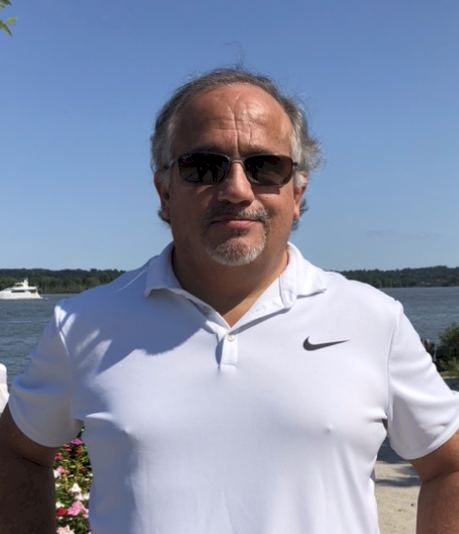
Matthew Q. Pugsley, Chalant Health CEO
1. Brief Bio:
35 years of professional experience in business management, development, sales and marketing. Specific expertise in establishing a corporation from the ground up, developing and executing all sales and marketing programs, directing sales staffs for a variety of industries and corporations, maintaining and operating all aspects of business. Strong financial and marketing skills used in generating progressive clientele growth, as well as repeated incremental revenue and a long list of customer satisfaction.
2. Career Influences
My father, Dr. Louis Q. Pugsley, has been and will always be the biggest influence on my career and my life in general. He was a physician by trade, but an entrepreneur at heart. With six children to house, feed and put through college, he was always trying to figure out a better way to earn additional wealth. He would start new companies, some would fail – some were successful. But he never gave up, his gumption and the amount of persistence that one man could endure was a witness to his internal fortitude.
He was a very just man and would never say an unkind word about someone else, no matter what the circumstances. He treated the janitor and the CEO with equal parts of respect and gratitude. His old adage of “vote with your feet” taught me that if someone or something doesn’t treat you right, just walk away. I’ve tried to apply that in my own life, although it can be difficult in today’s environment. I was proud to call him my father and my greatest mentor.
3. Biggest Career Success
I can think of many successes throughout my career, but two stand out in particular. The first happened in the earlier part of my career while working for a telco company. The company had developed some software to help wireless company’s network traffic to operate more efficiently. We sold this software to Nextel and I remember that the negotiations took several weeks of back and forth with the contract language. It was painfully slow, but we finally closed the deal for just over $1M. I hand delivered the software to their office that was all contained on 1 compact disc. That was it, $1M for one CD (and it earned a nice healthy commission at the time).
The second was for a local integrator here in the Washington, D.C. area. They had built a very high-performance computer within a tiny footprint. We competed against Sun, IBM and Dell, we had no brand name recognition in this space, so it wasn’t an easy sale. The company had legions of top tiered business development executives and advisors. I was lucky enough to close the first sale to a three-letter government agency in the intelligence community. Being that this was our very first sale of this product, the management team wanted to celebrate by opening champagne – at 8:30am on a Monday morning!
4. Recent Lessons Learned
The most valuable lesson that I’ve learned in this business recently is to allow people within our organization to have the autonomy and freedom to do what they are paid to do. As a person who has always liked control, this has not been easy for me, but I have seen firsthand how much we can accomplish by letting each team member create their own part of the project, without complete oversight. This lesson has helped us as a company to build a truly unique culture and has helped us design a great product. We are excited by the future and knowing that each person can achieve their own dreams within the framework of the organization has helped me to become a more effective leader.
By far the best lesson that I have learned so far in my career is this: I have started four companies prior to this, two were minorly successful, one has done very well, and one was an utter failure. I believe that I have learned more from that failure than all of the others combined. Several people had entrusted me and I let them down, but no one more so than myself. The business failed and I had to pick up the pieces and carry on. That was not easy and to this day I still have work to do.
5. What Inspires and Motivates you?
Probably the one thing that inspires me the most is my children. They are all turning into wonderful young adults and to watch them matriculate and grow and learn for themselves is just such a blessing. To be able to see through their own eyes this ever-changing world and become resilient to the environment around them really helps me to see what is truly important.
What motivates me each day is what we are building now. We have created a medical device that helps promote medication management. This is a home-based, interactive device that allows a nurse to connect through a Remote Patient Monitor (RPM) and have daily communications with that patient. The people involved on our team and the level of talent that surrounds our company, helps me leap out of bed each day and is what truly motivates me to solve one of healthcare’s most difficult problems. I am buoyed by the fact that so many people within the medical community are clamoring for this product. During this pandemic, we have seen the need for telehealth products and services skyrocket and we are poised to provide a disruptive and leading edge platform that has flexibility in variety of clinical settings.
6. Share a Leadership Story
This was a story that I read many years ago and it has resonated with me for a long time, it is affectionately called “The Man in the Arena”.
Citizenship in a Republic is the title of a speech given by Theodore Roosevelt, former President of the United States, at the Sorbonne in Paris, France, on April 23, 1910.
“It is not the critic who counts; not the man who points out how the strong man stumbles, or where the doer of deeds could have done them better. The credit belongs to the man who is actually in the arena, whose face is marred by dust and sweat and blood; who strives valiantly; who errs, who comes short again and again, because there is no effort without error and shortcoming; but who does actually strive to do the deeds; who knows great enthusiasms, the great devotions; who spends himself in a worthy cause; who at the best knows in the end the triumph of high achievement, and who at the worst, if he fails, at least fails while daring greatly, so that his place shall never be with those cold and timid souls who neither know victory nor defeat.”
7. Your Top Two (quotes, goals or ideas)
I had trouble choosing just two, so I’ve included my top four.
“The difference between a successful person and others is not a lack of strength, not a lack of knowledge, but rather a lack of will.” Vince Lombardi
“When you reach the end of your rope, tie a knot and hang on.”
Abraham Lincoln
“Things do not happen. Things are made to happen.” John F. Kennedy
“I have decided to stick with love. Hate is too great a burden to bear.” Martin Luther King, Jr.
Contact Matthew Pugsley:









 Updated: 11/10/2022


 The Ink Blog